The Seamless Studio Hub · Notion project management + client portal

Notion project management and a client portal, in one system built for brand and website designers

Run every client project and your entire design business through one stripped-back system you can set up in a day. No more email chains, scattered Drive links or expensive project management software that never feels intuitive to use.

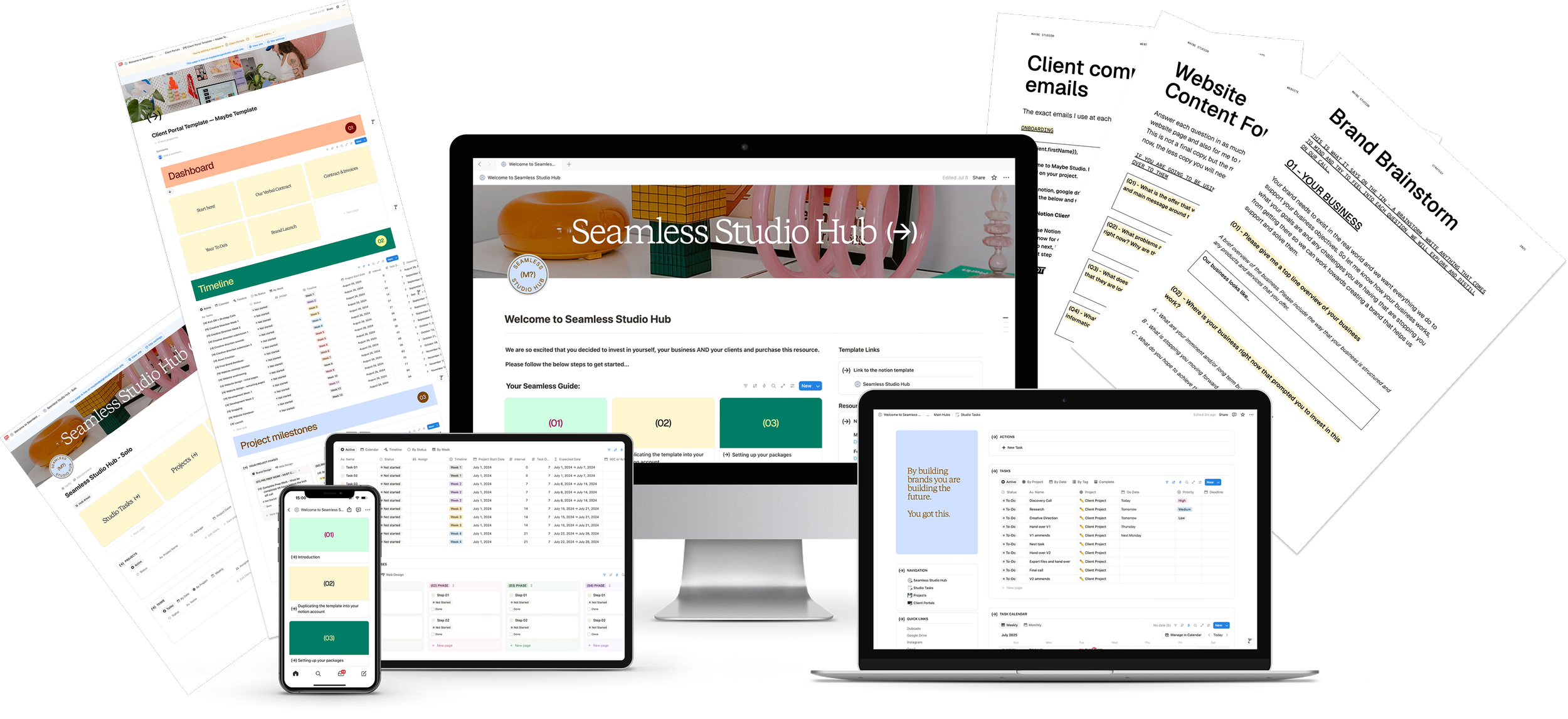
The Seamless Studio Hub Notion client portal shown on a desktop, laptop, tablet and phone: the welcome page, studio task list, client portal dashboard and project timeline, alongside the client communication emails, website content form and brand brainstorm documents

For you · Studio side

  • Manage all your projects in one place
  • Project templates for easy setup
  • A studio task list across all your clients
  • Leads, socials and inspiration, all in one place
↔

For your clients

  • One link with everything they need
  • A weekly timeline they can follow
  • The full process laid out, so they feel confident from the start
  • Feedback rounds and sign-off in one place

Don't just take my word for it

Other designers are using this system right now, and thriving

Real messages from designers, strategists and website developers running their studios through the Hub.

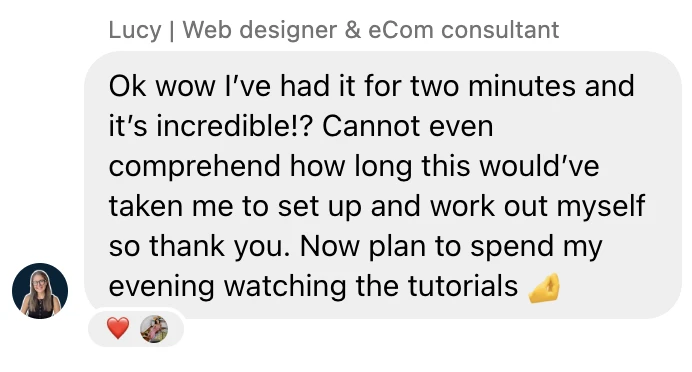
Message from a designer about the Seamless Studio Hub: "Ok wow I've had it for two minutes and it's incredible!? Cannot even comprehend how long this would've taken me to set up and work out myself so thank you. Now plan to spend my evening watching the tutorials."
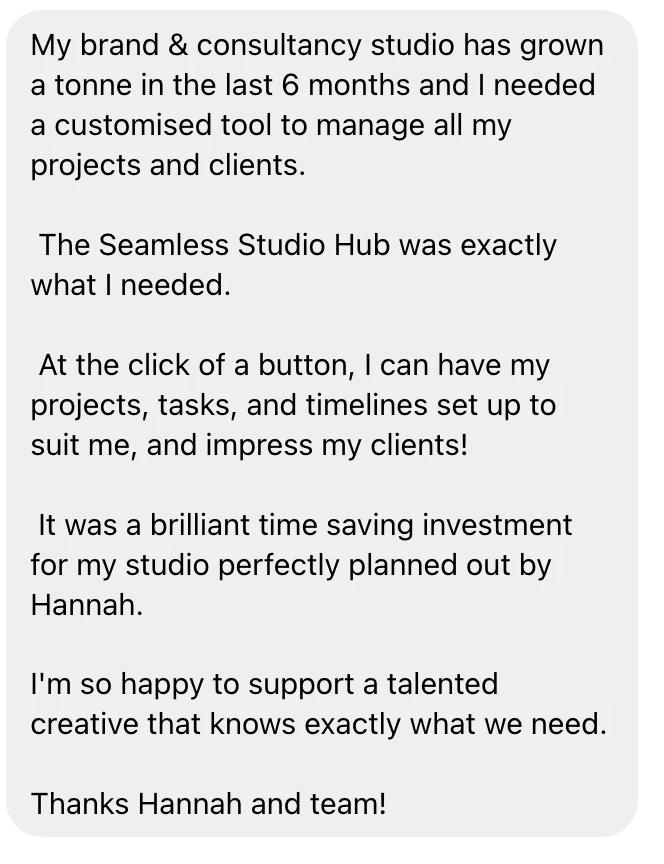
Message from a designer about the Seamless Studio Hub: "My brand and consultancy studio has grown a tonne in the last 6 months and I needed a customised tool to manage all my projects and clients. The Seamless Studio Hub was exactly what I needed. At the click of a button, I can have my projects, tasks, and timelines set up to suit me, and impress my clients! It was a brilliant time saving investment for my studio perfectly planned out by Hannah."
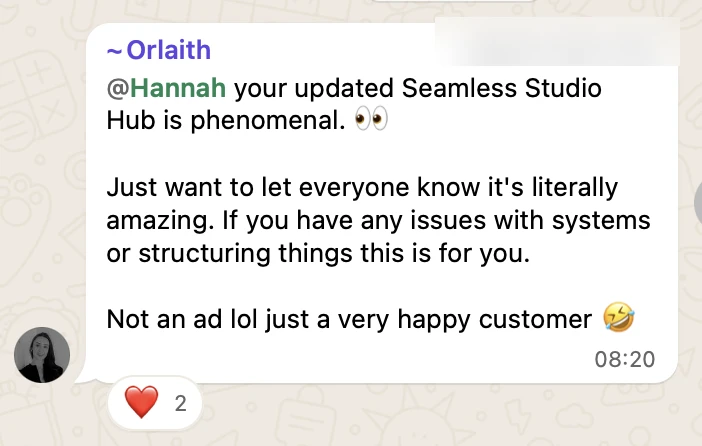
Message from a designer about the Seamless Studio Hub: "Your updated Seamless Studio Hub is phenomenal. Just want to let everyone know it's literally amazing. If you have any issues with systems or structuring things this is for you. Not an ad lol just a very happy customer."
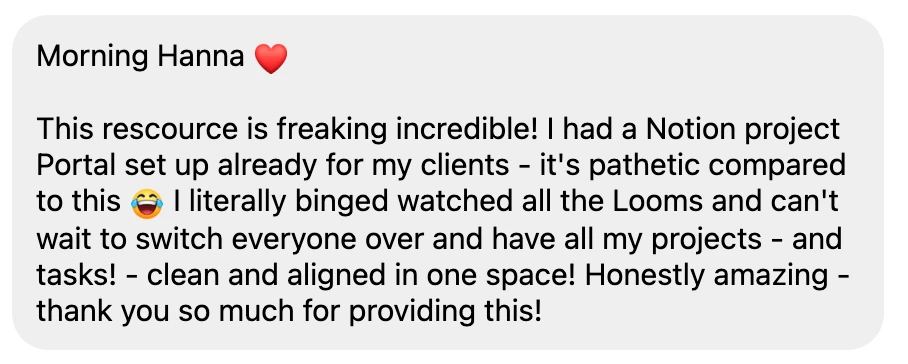
Message from a designer about the Seamless Studio Hub: "This resource is freaking incredible! I had a Notion project portal set up already for my clients, it's pathetic compared to this. I literally binge watched all the Looms and can't wait to switch everyone over and have all my projects and tasks clean and aligned in one space! Honestly amazing, thank you so much for providing this!"
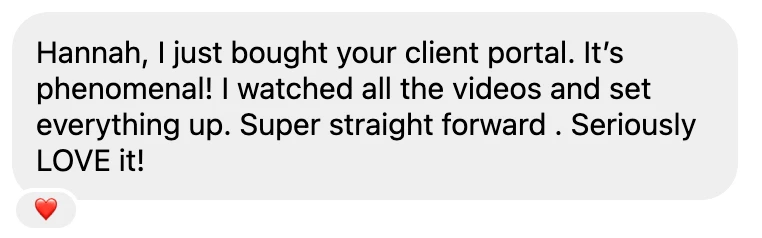
Message from a designer about the Seamless Studio Hub: "Hannah, I just bought your client portal. It's phenomenal! I watched all the videos and set everything up. Super straight forward. Seriously LOVE it!"
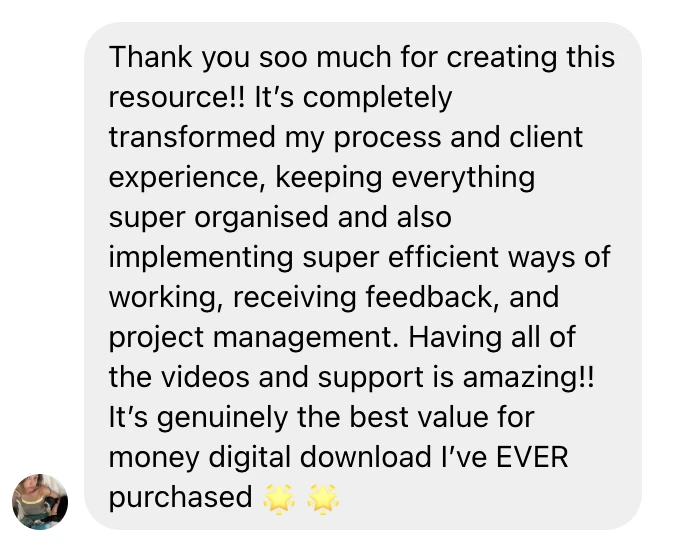
Message from a designer about the Seamless Studio Hub: "Thank you soo much for creating this resource!! It's completely transformed my process and client experience, keeping everything super organised and also implementing super efficient ways of working, receiving feedback, and project management. Having all of the videos and support is amazing!! It's genuinely the best value for money digital download I've EVER purchased."
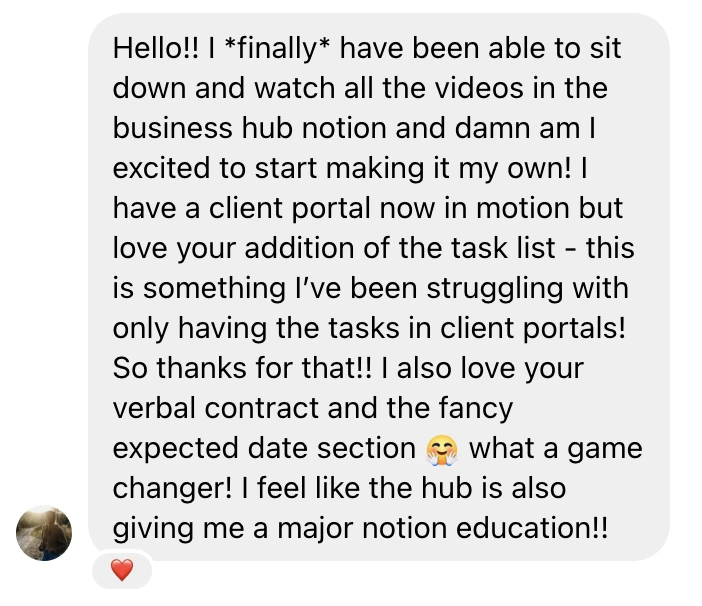
Message from a designer about the Seamless Studio Hub: "I finally have been able to sit down and watch all the videos in the business hub Notion and am I excited to start making it my own! I have a client portal now in motion but love your addition of the task list, this is something I've been struggling with only having the tasks in client portals! I also love your verbal contract and the fancy expected date section, what a game changer! I feel like the hub is also giving me a major Notion education!"

I hear you. Let me guess

Your work is chef's kiss. Your systems and client experience? They need an upgrade.

And the worst part? You know that with the right systems, your design business would be thriving.

Upgrade my systems→

Welcome to the Seamless Studio Hub

The system that gives you back your time, your profit and your clients' confidence

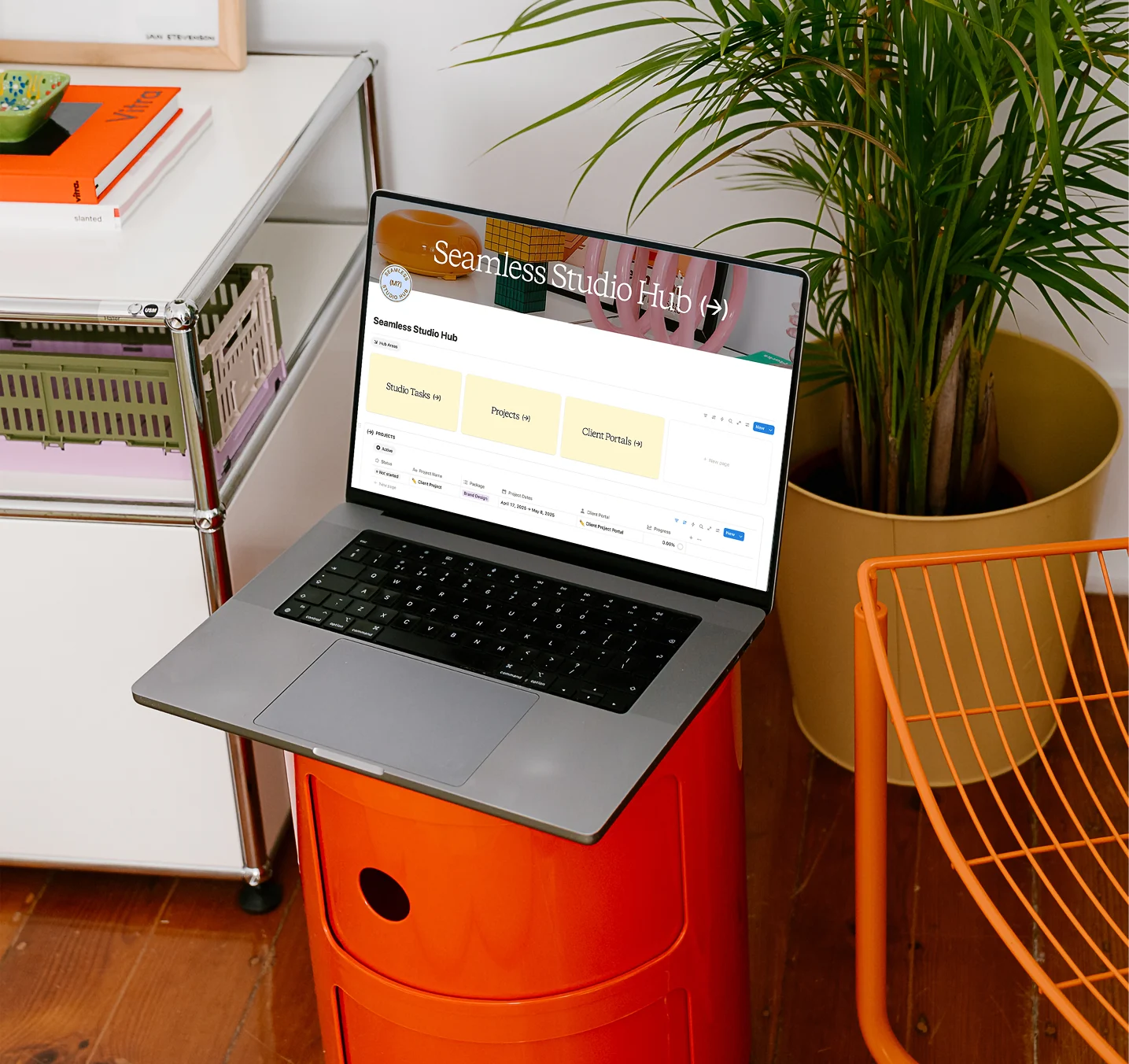
A laptop open on the Seamless Studio Hub dashboard, showing Studio Tasks, Projects and Client Portals, on an orange side table in a design studio

The Seamless Studio Hub is for designers and small studio owners who want to:

  • Onboard new clients in minutes and wow them from day one
  • Finish projects on the date they quoted, without scope creep
  • Spend less time on admin and more on design and finding new clients
  • Raise their prices with confidence, because the experience matches the work
  • Get their evenings and weekends back

I created this for myself, to run my studio with freedom and organisation, and to make my projects actually profitable. And now I'm sharing it with you, because my mission is to help designers build businesses they love and make money doing it.

100+
Brands built, with happy clients who love the process too
7 yrs
Running a solo and small design studio
50+
Designers already using it in their business
70%
Less admin time, so you can focus on what you love doing
here is what you get|here is what you get|here is what you get|here is what you get|here is what you get|here is what you get|here is what you get|here is what you get|

What you get

You don't just get a Notion client portal template made by any old designer. You get the exact system that grew my studio from £0 to £100K as a solo designer in just three years.

I'm not gatekeeping anything. Alongside the systems, I walk you through the exact process I take clients through on my branding and website projects, all my client communication emails, my tech stack and so much more.

01 / Studio dashboard + task list

Studio dashboard
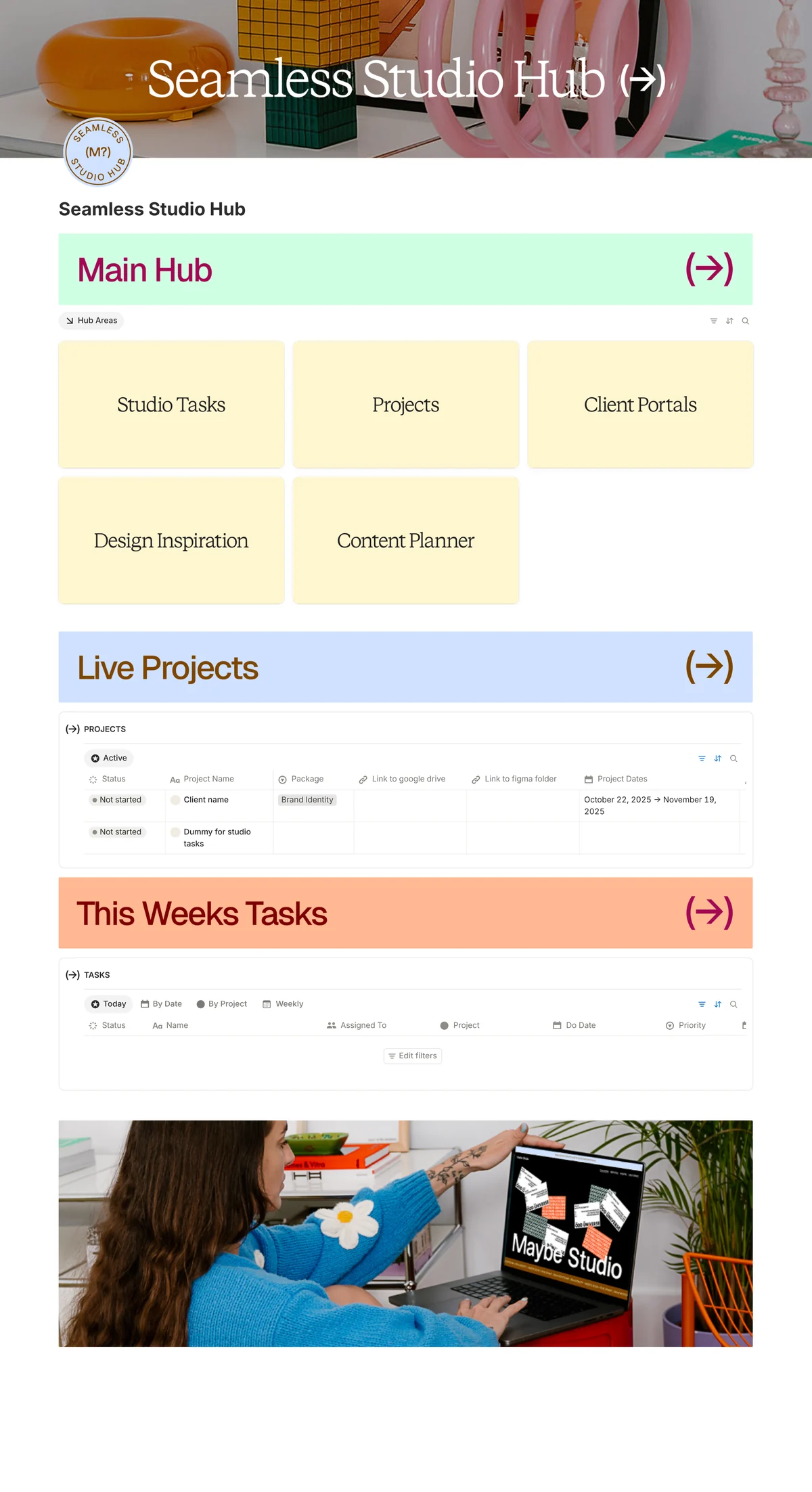
The Seamless Studio Hub dashboard in Notion, with hub areas for Studio Tasks, Projects, Client Portals, Inspo and Content Planner above the projects and tasks lists
Task list
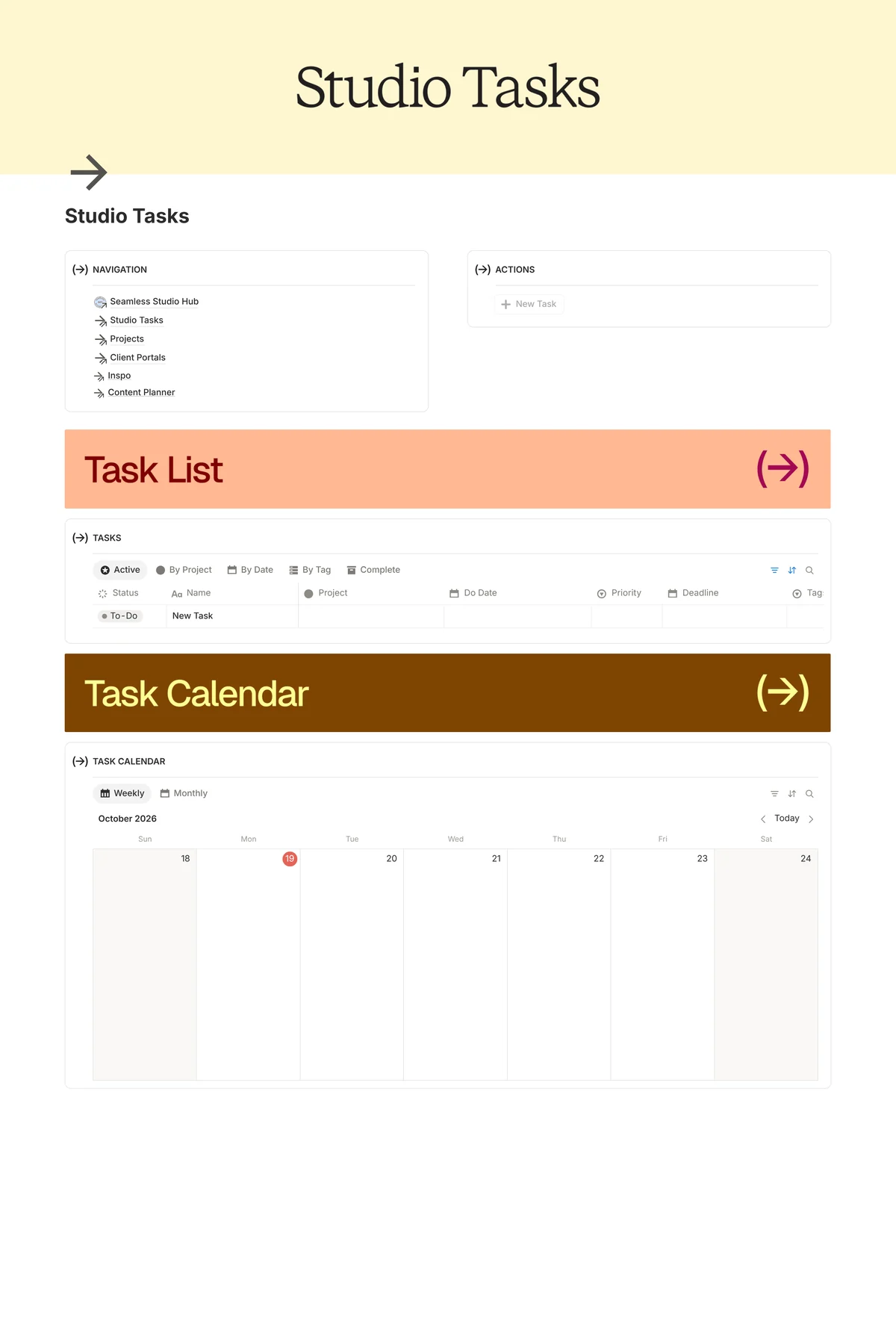
The Studio Tasks page in the Seamless Studio Hub: a weekly task calendar above a list of every task, tagged by project stage from onboarding to offboarding

Set up projects in minutes and manage your tasks day to day

  • Project templates for each package, with tasks and timelines pre-built and populated in one click
  • Every live project and deadline in one view, so you never overbook or underdeliver
  • A studio task list that pulls from every project, so you make time to work on the business as well as in it

02 / Client portal template

Client portal
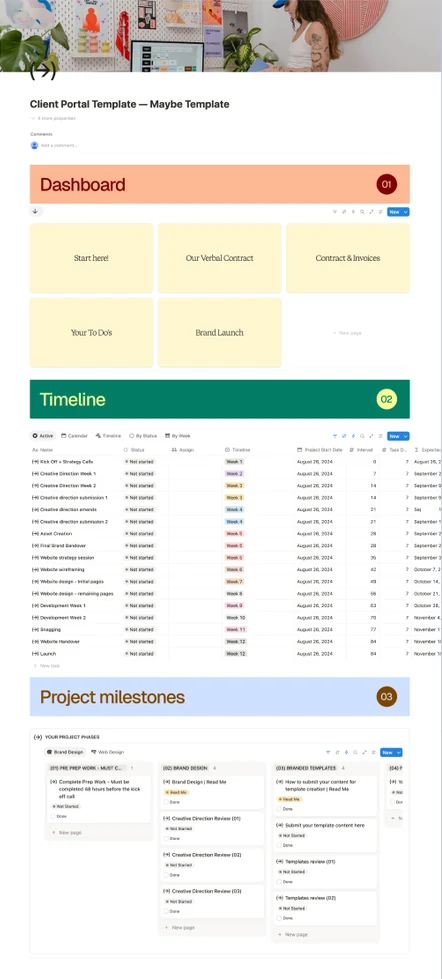
The client portal template in Notion, from the dashboard cards to the weekly project timeline and the board of project milestones

Run seamless projects from a portal that wows your clients

  • Onboarding, contract, invoice links and logins, all in one place
  • A weekly timeline with every milestone mapped
  • A process stage tracker for gathering key information and sign-off rounds

03 / My branding + website portals

Brand identity portal
The project milestones board in the brand identity client portal, with phases for pre-prep work, brand design with three creative direction reviews, and branded templates with two template reviews, plus a tab for the web design process

The exact two portals I use with every client

  • My brand identity portal, pre-populated with all my feedback questions and handover process
  • My website portal, with the step-by-step I take clients through from UX to development and handoff
  • A walkthrough of how I run both processes, with the tips and tricks I've learned over 7 years

04 / Setup videos + Figma templates

Setup videos
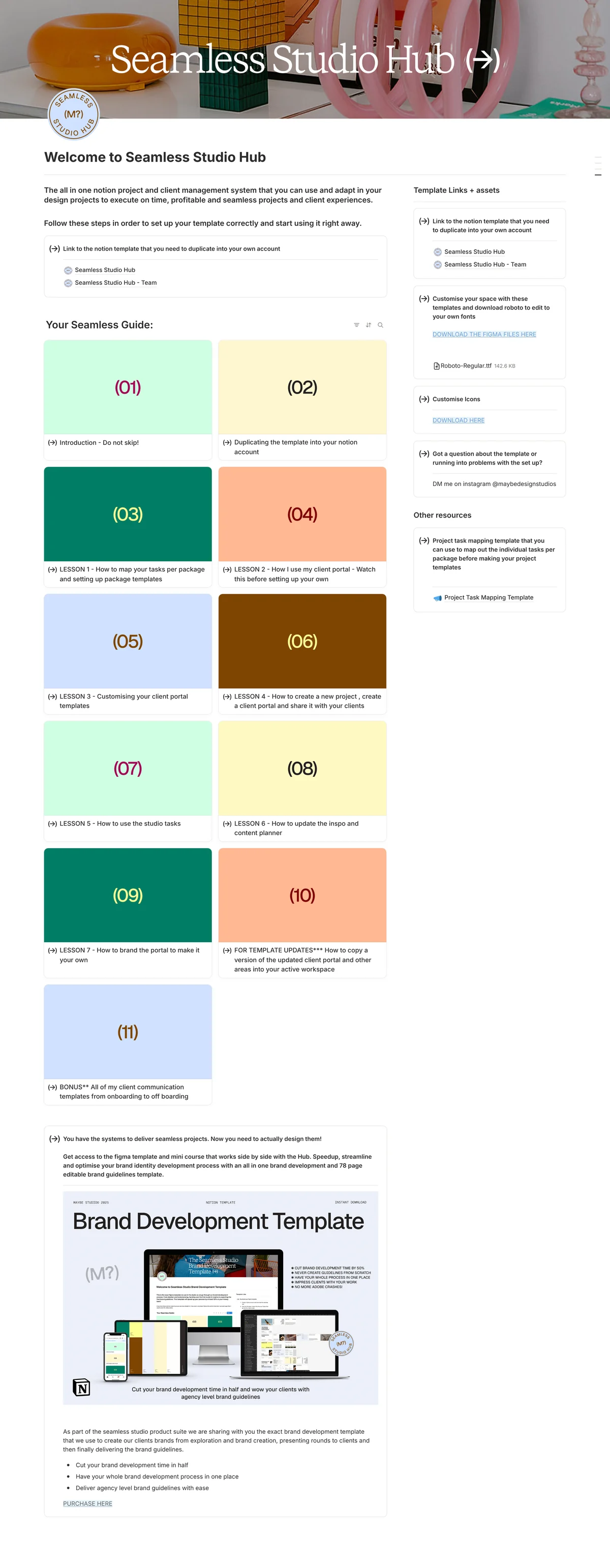
The Welcome page of the Seamless Studio Hub, with the step-by-step setup guide: an introduction, how to duplicate the template and seven video lessons
Figma templates
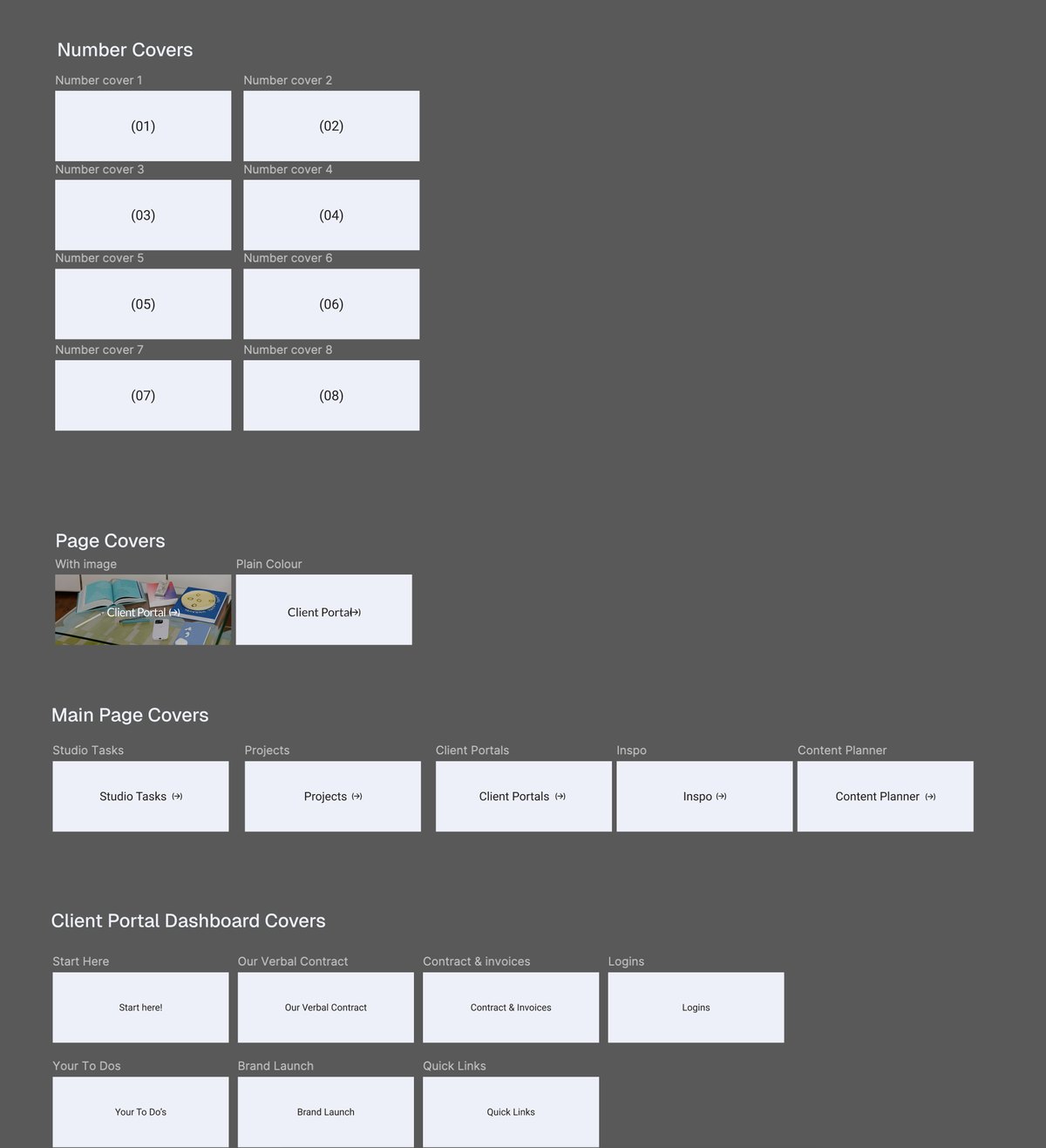
The Seamless Studio Hub Figma templates: number covers 01 to 08, page covers with an image or plain colour, main page covers for Studio Tasks, Projects, Client Portals, Inspo and Content Planner, and client portal dashboard covers

Set up, brand it and start using it within a day

  • Step-by-step videos for every page
  • Figma templates to brand the portal as your own
  • Set up and branded in a day

05 / Client communication library

Client communication library
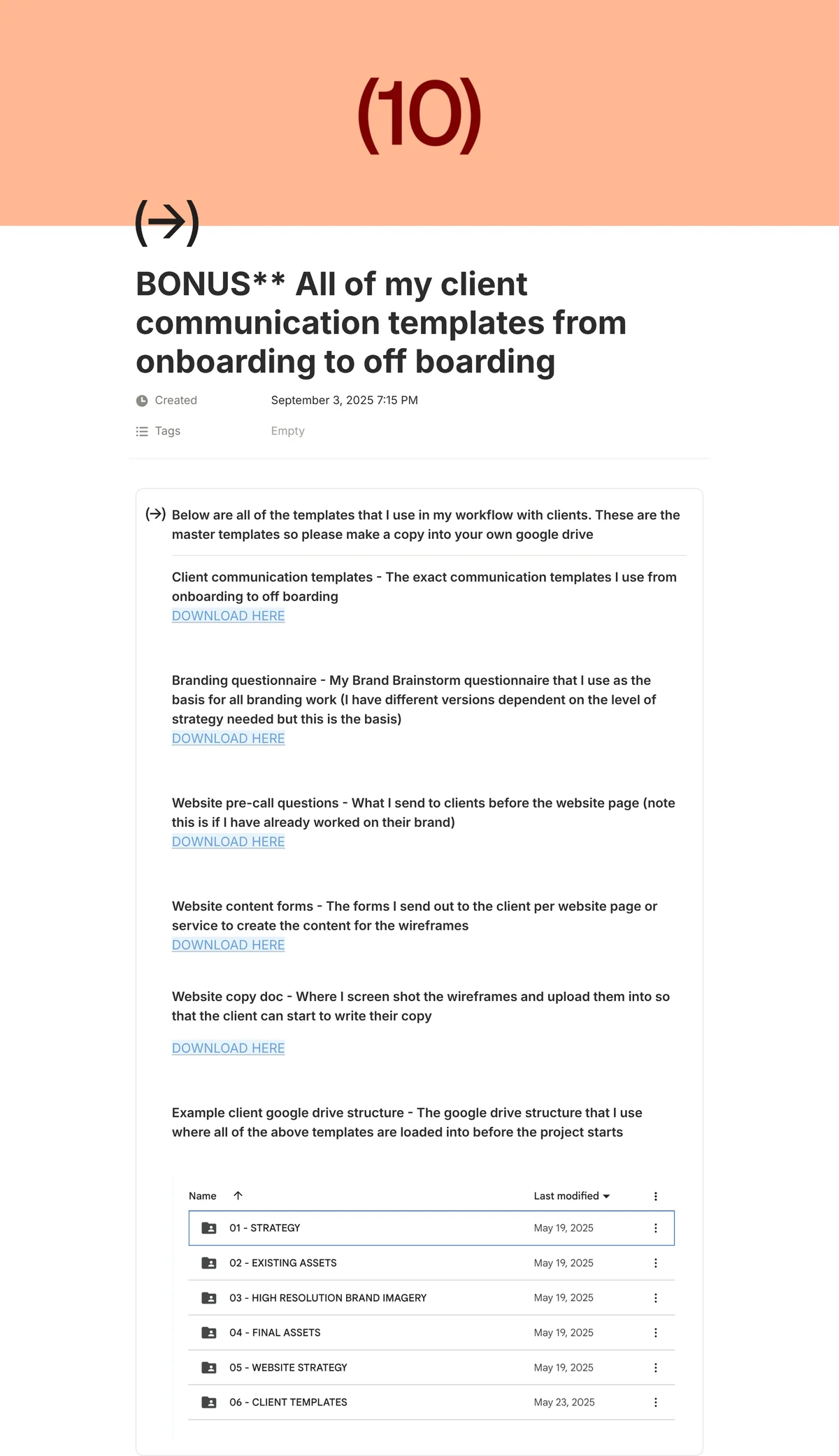
The client communication library in the Seamless Studio Hub: client communication templates, branding questionnaire, website pre-call questions, website content forms and website copy doc

Every email, script and form, from onboarding to offboarding

  • Welcome, kickoff, feedback and offboarding emails
  • My brand strategy questionnaire
  • Website copywriting templates

06 / Solo + Team versions

Team task management + member portal templates
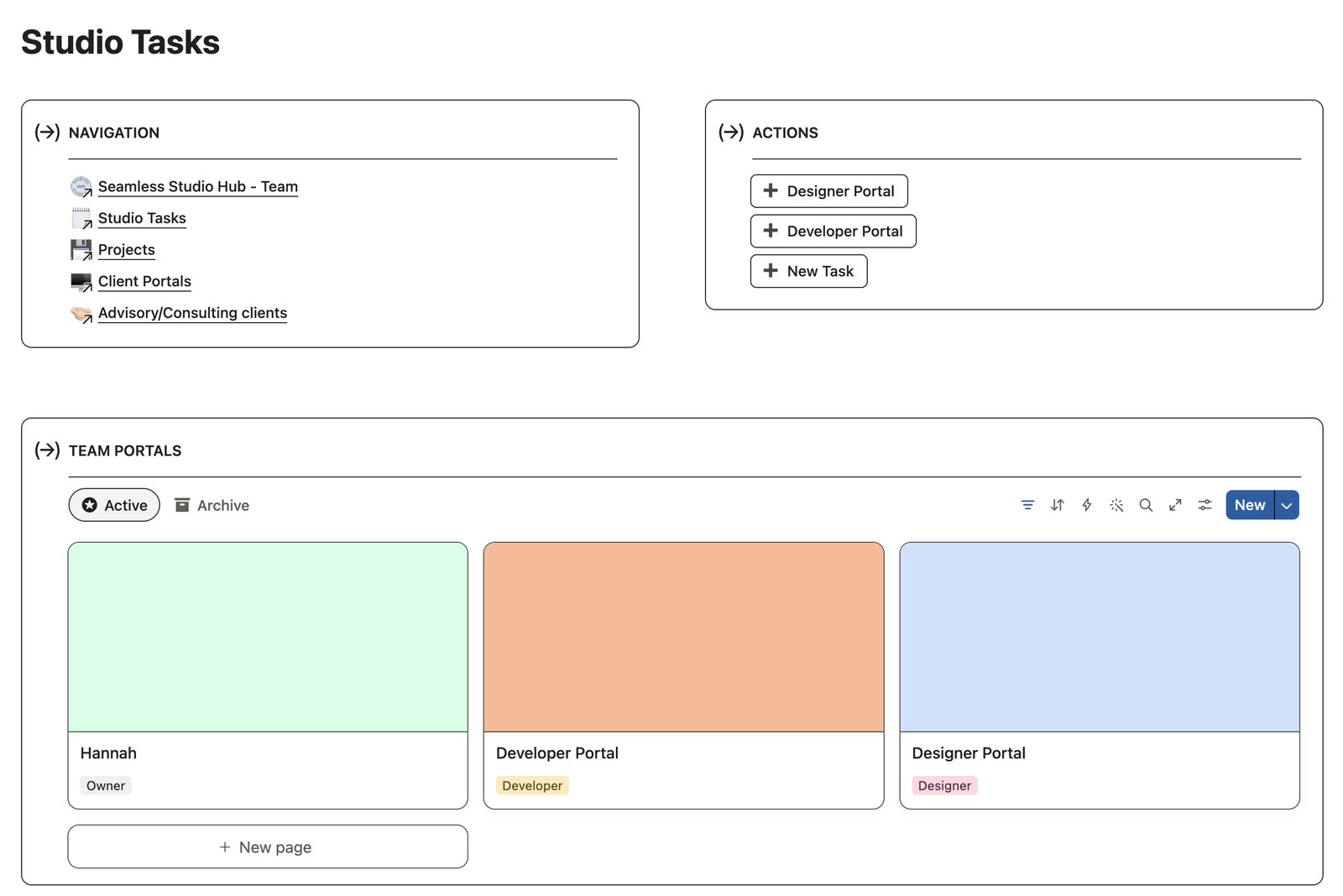
The Studio Tasks page in the Team version of the Seamless Studio Hub, with navigation, quick actions to add a designer portal, developer portal or new task, and team portal cards for the owner, a developer and a designer
Team version
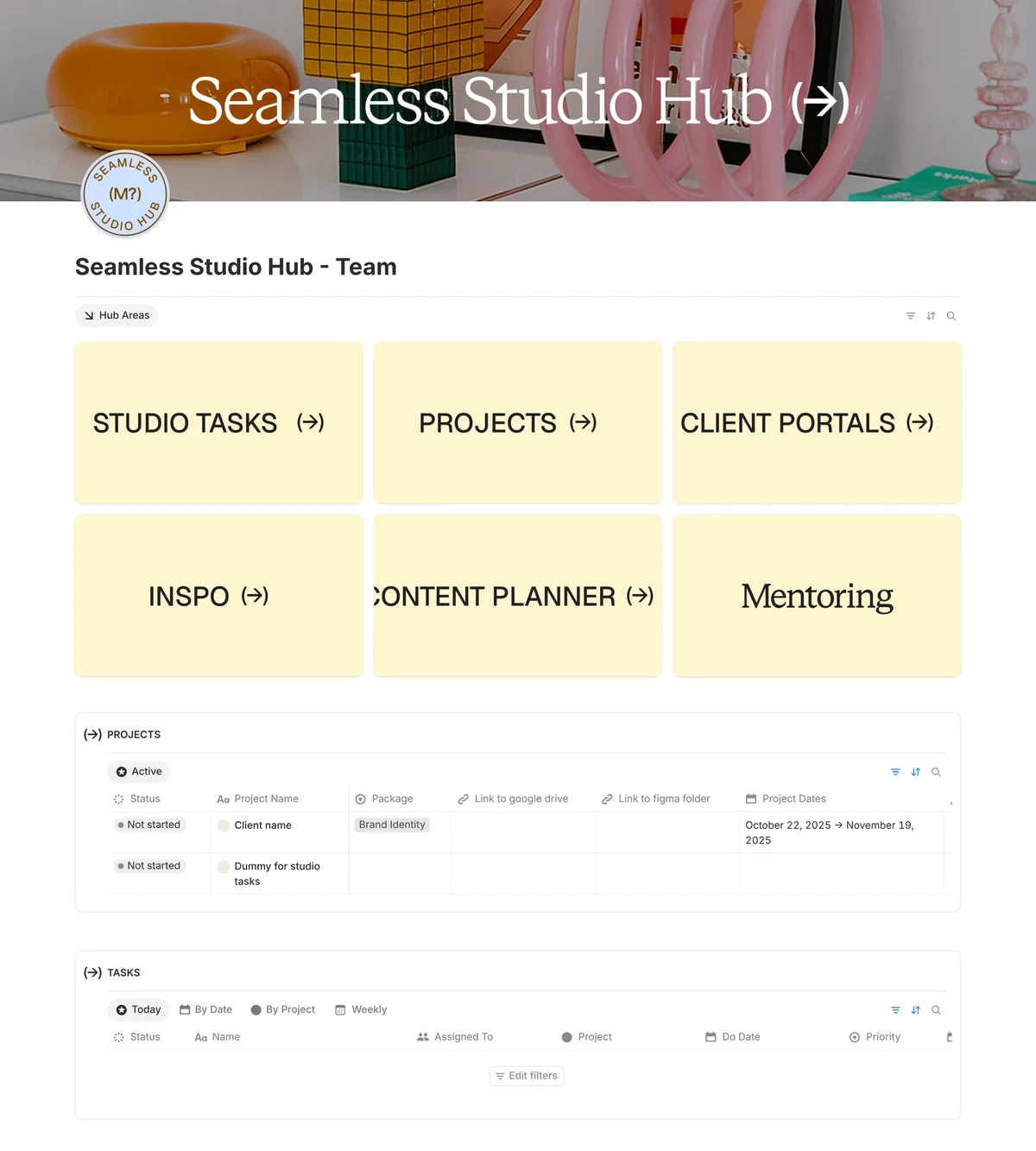
The Team version of the Seamless Studio Hub dashboard, with an extra Mentoring area

Start solo and switch to the Team version when you hire

  • A Solo version for running it on your own
  • A Team version with team task management and member portal templates
  • Both in the same download
Bonuses · included free

Bonus 01 / Content planner

Content planner
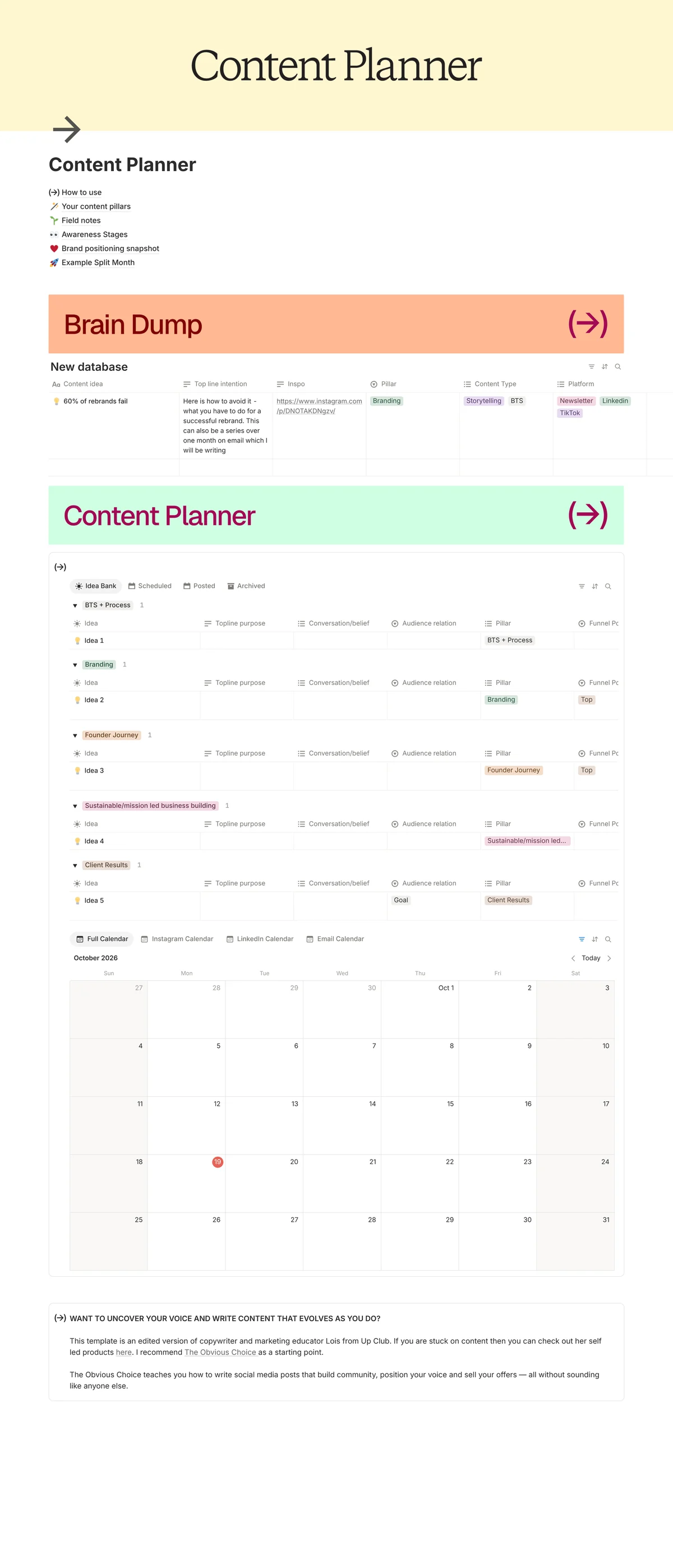
The content planner in the Seamless Studio Hub: links to content pillars, field notes, awareness stages and brand positioning, a brain dump table, an idea bank grouped by pillar and a monthly content calendar
How to use
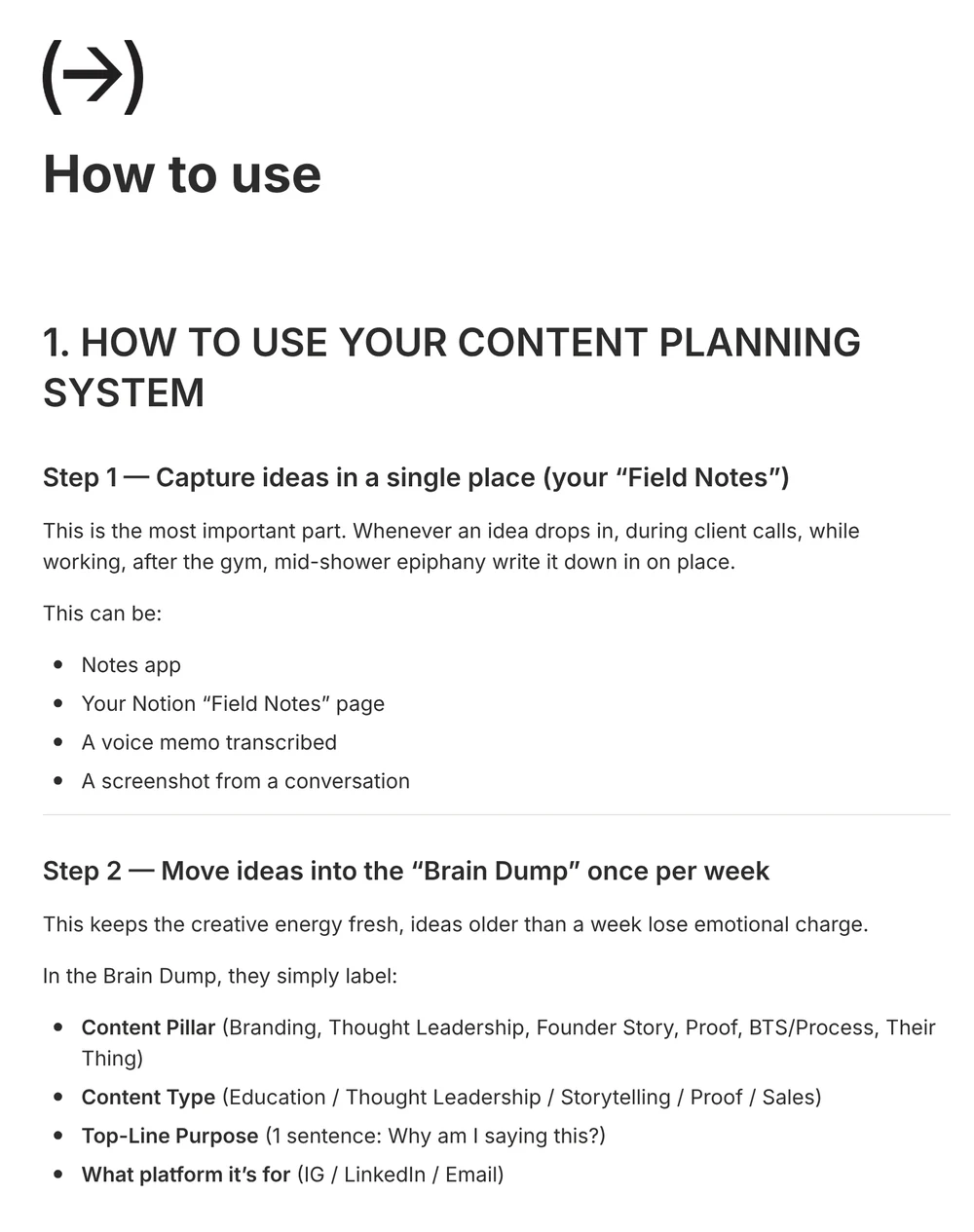
The How to use page of the content planner: step-by-step instructions for capturing ideas, moving them into the brain dump and choosing posts to develop each week

Plan your own studio's content so every post has a job

  • Content pillars and a brand positioning snapshot
  • Awareness stages, so every post has a job
  • A brain dump for ideas and a monthly calendar

Bonus 02 / Design inspiration library

Design resources
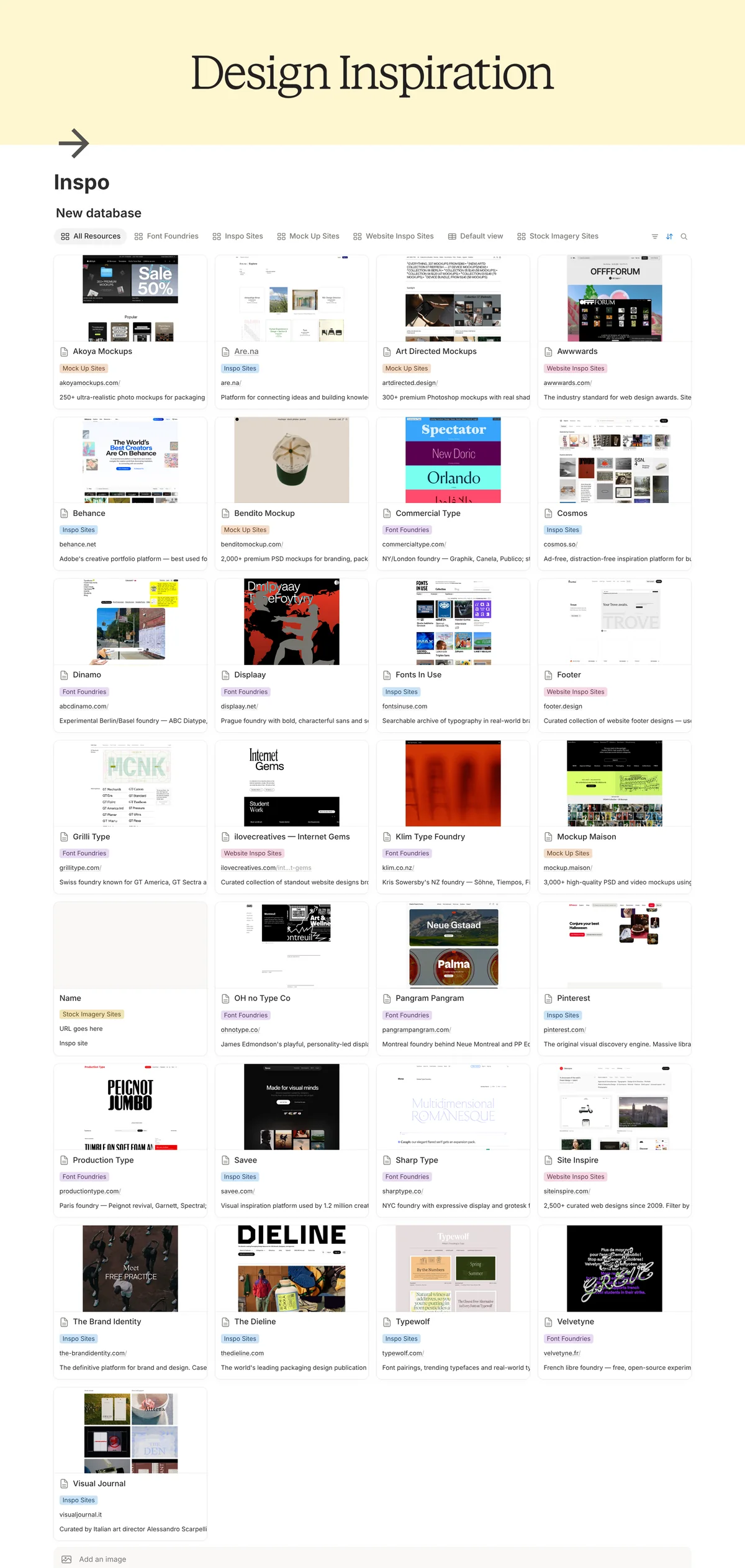
The Inspo page in the Seamless Studio Hub: a directory of design inspiration resources such as mockup sites, font foundries and inspo sites, each with a link and description
Website inspo library
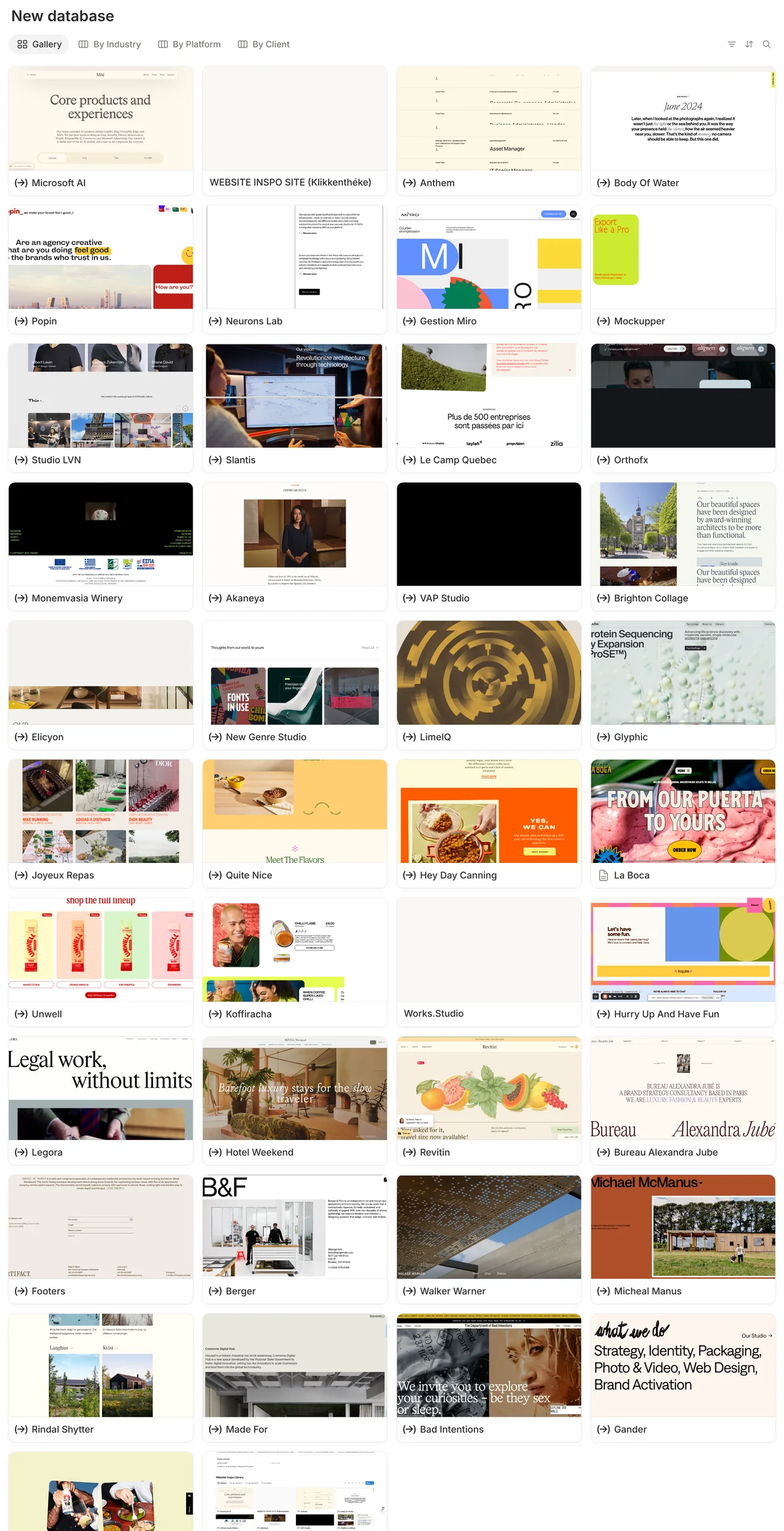
The website inspiration library: a gallery of saved website screenshots from studios and brands, sortable by industry, platform and client

Every inspiration source I use, in one place

  • A curated directory, from Savee and Cosmos to The Dieline
  • A website inspo library sorted by section
  • Ready to add your own finds

Bonus 03 / Lifetime updates + support

The Seamless Studio Hub
The Seamless Studio Hub dashboard in Notion, with hub areas for Studio Tasks, Projects, Client Portals, Inspo and Content Planner above the projects and tasks lists

Buy once and get every future version of the Hub

  • Every new version of the Hub, free
  • An invite to my private Slack community, just for people who've bought my digital products, with setup support for as long as you need it
  • Updates land straight in your inbox

The obvious question

The Seamless Studio Hub isn't another cookie-cutter, aesthetic-driven Notion template you find on Etsy with no substance, or with a £197 price tag.

It's THE system I use day to day in my business. It took me a full year from the first version to make it ready to sell, and I wanted it priced so every designer can get their hands on it. And others agree.

Messages from a designer about the Seamless Studio Hub: "It looks INCREDIBLE. Cannot even begin to imagine what it's like planning and making all this, what the helly?! So much better than all the other shite that's out there."
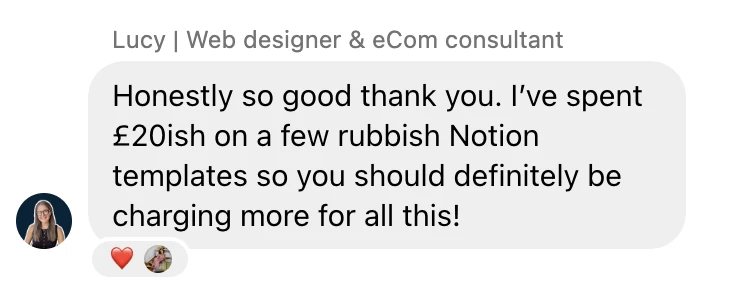
Message from Lucy, web designer and eCom consultant: "Honestly so good thank you. I've spent £20ish on a few rubbish Notion templates so you should definitely be charging more for all this!"
Take a look inside the live demo→

Take a look inside

Watch me onboard a client in under 10 minutes

I set up a real branding project from the template, share the portal and send the welcome email in one take, start to finish.

In this walkthrough you'll see a project created from a package template, the portal your client sees, the weekly client timeline, how feedback rounds work, and the welcome email that goes out on day one.

Get the Hub for £75→

Buyers' hubs

Same system, their brand

The Hub is built to be rebranded. Here's what it looks like inside other designers' studios.

Studio HQ + client portalHover to look inside
Studio HQ
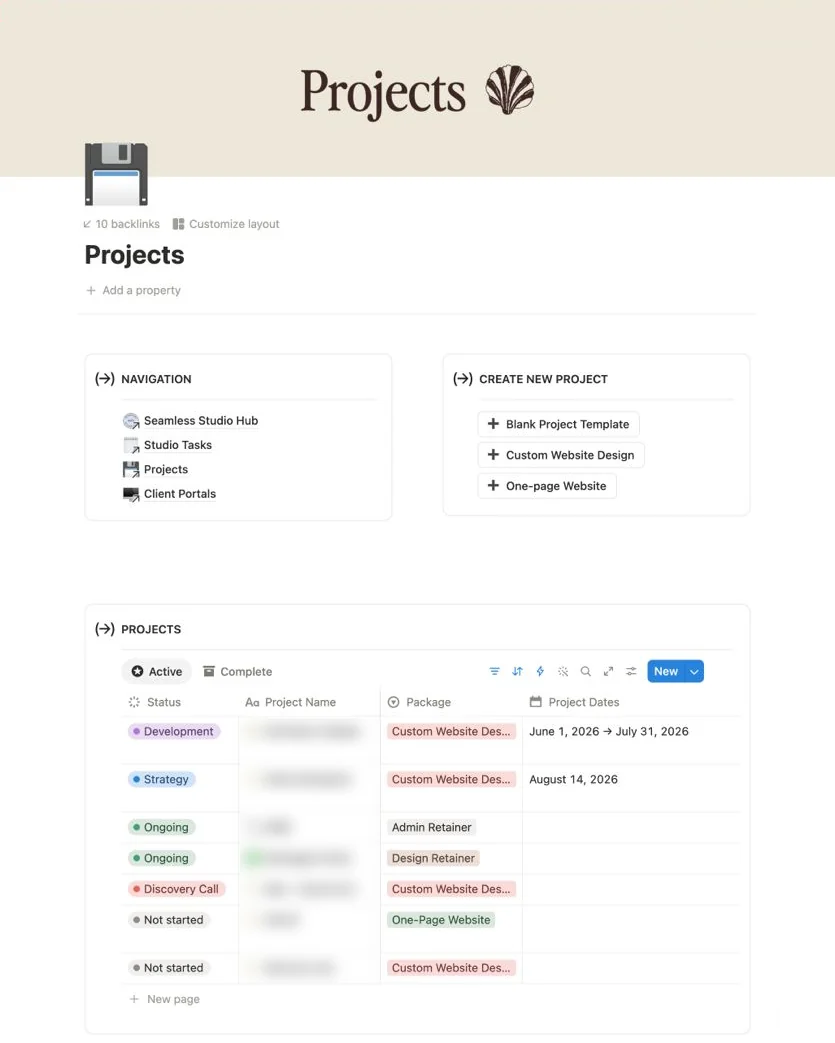
Meraki Studio's Projects page in the Seamless Studio Hub: one-click buttons for each project template and a table of every project with status, package and dates
Client portal
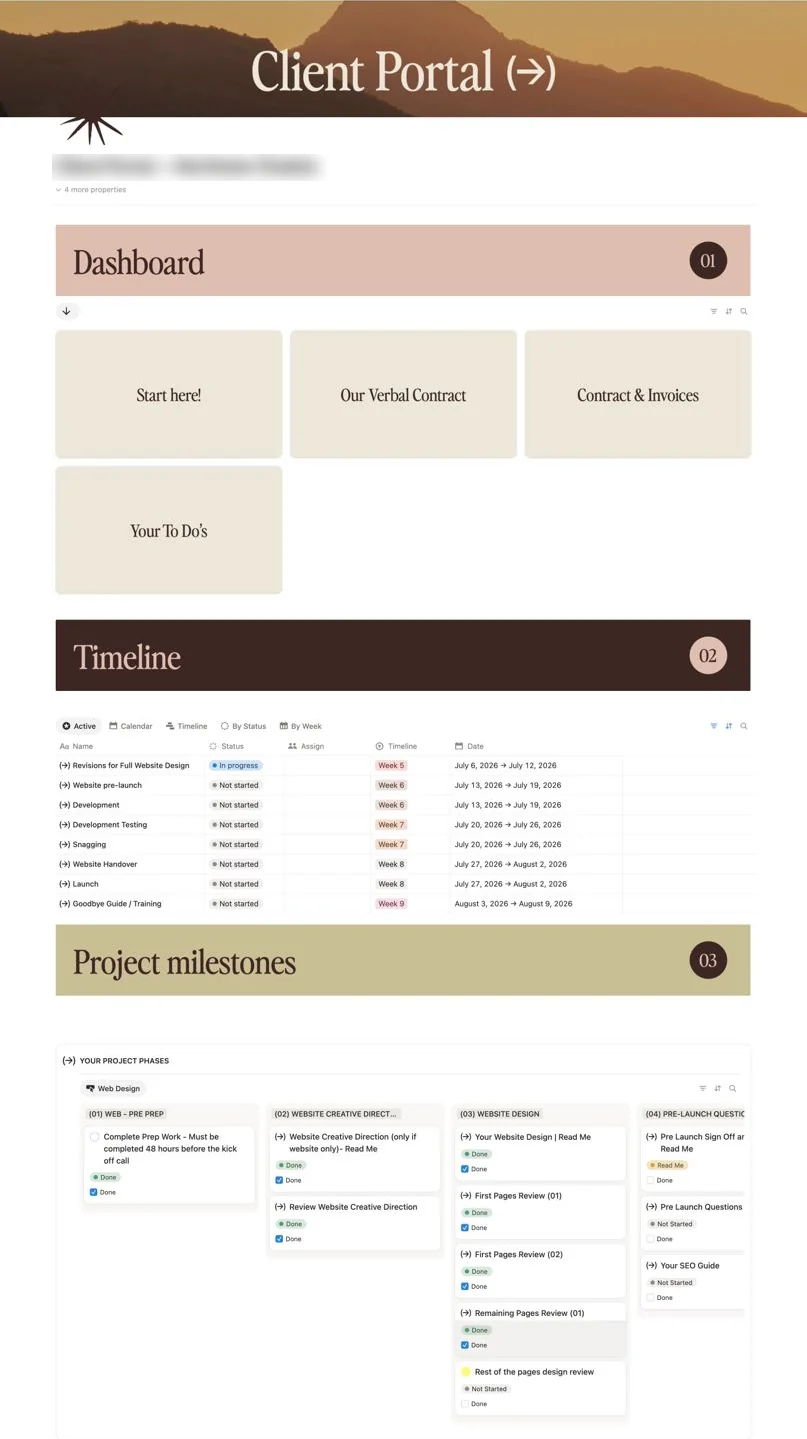
A client portal built with the Seamless Studio Hub and rebranded by Meraki Studio: dashboard cards, a weekly project timeline and project milestones

Her client loved the experience so much, they came back for another project.

"I was initially concerned that my clients might find the hub a little overwhelming, but I've had nothing but positive feedback! It's made managing multiple projects at once so much easier, and one client in particular has been so complimentary about their experience working with me that they're now coming back for another project. I'd highly recommend the Seamless Studio Hub to other designers. It's literally packed full of value and has been well worth the investment!"

H
HannahWebsite designer · Meraki Studio
Studio HQ + client portalHover to look inside
Studio HQ
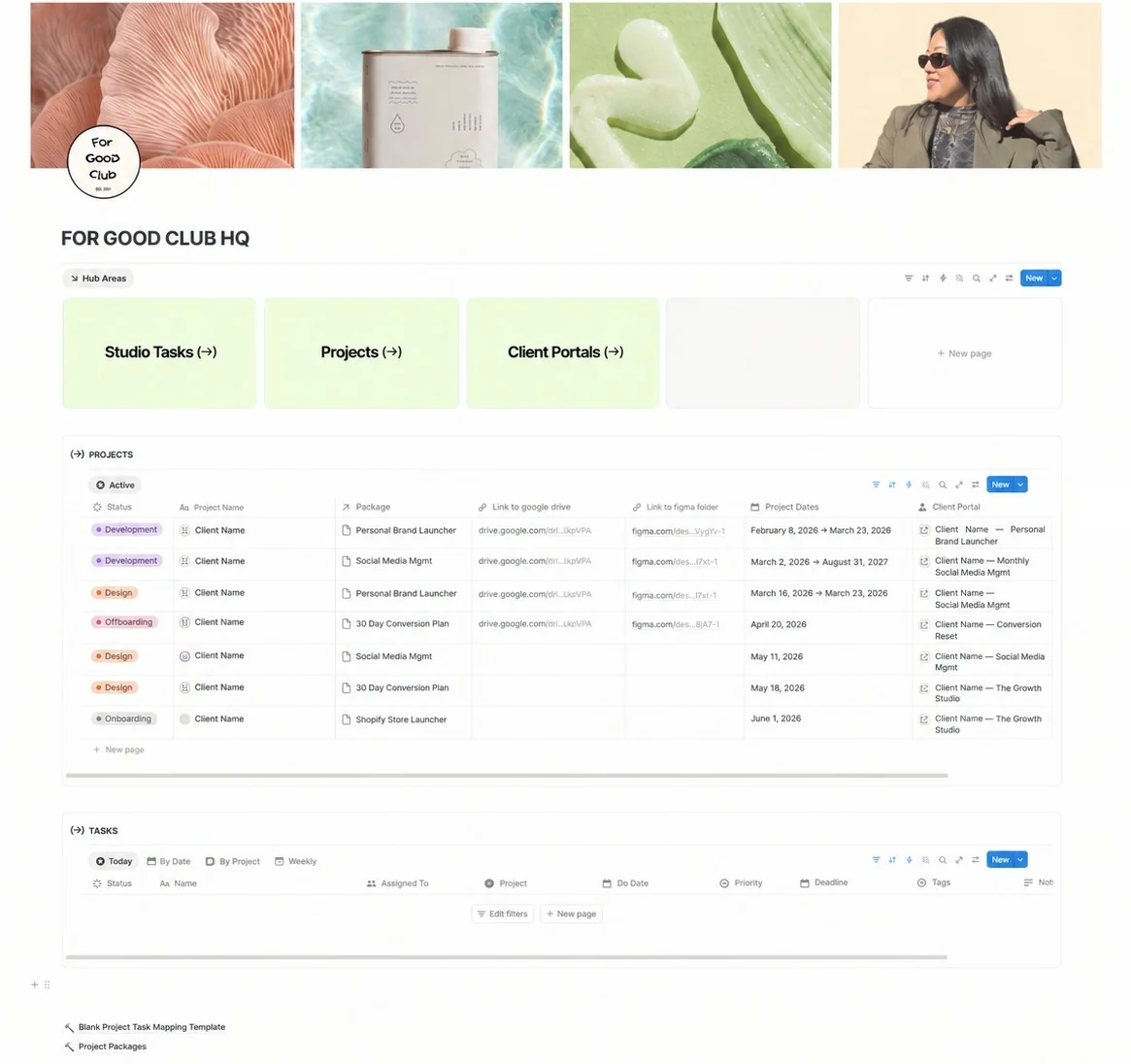
For Good Club's studio HQ in the Seamless Studio Hub: hub areas for Studio Tasks, Projects and Client Portals, a projects table with status, package, Drive and Figma links, and a task list
Client portal
A client portal built by For Good Club with the Seamless Studio Hub: dashboard cards, a week-by-week timeline of website tasks and a board of project milestones

Kim built her own systems for years. This is the one that stuck.

"I've spent years building my own client portals and task systems. But it's just never felt right, and always a bit too complicated to stick to… With Hannah's template it makes it so easy to just set up instead of figuring it out yourself. It's not just a template, she's actually walking you through her client project management processes and you get a bunch of extra stuff as well."

Kim, founder of For Good Club
KimFounder · For Good Club
Studio HQ + client portalHover to look inside
Studio HQ
Hazy Agency's studio HQ in the Seamless Studio Hub: hub areas for Studio Tasks, Projects and Client Portals above a projects table
Client portal
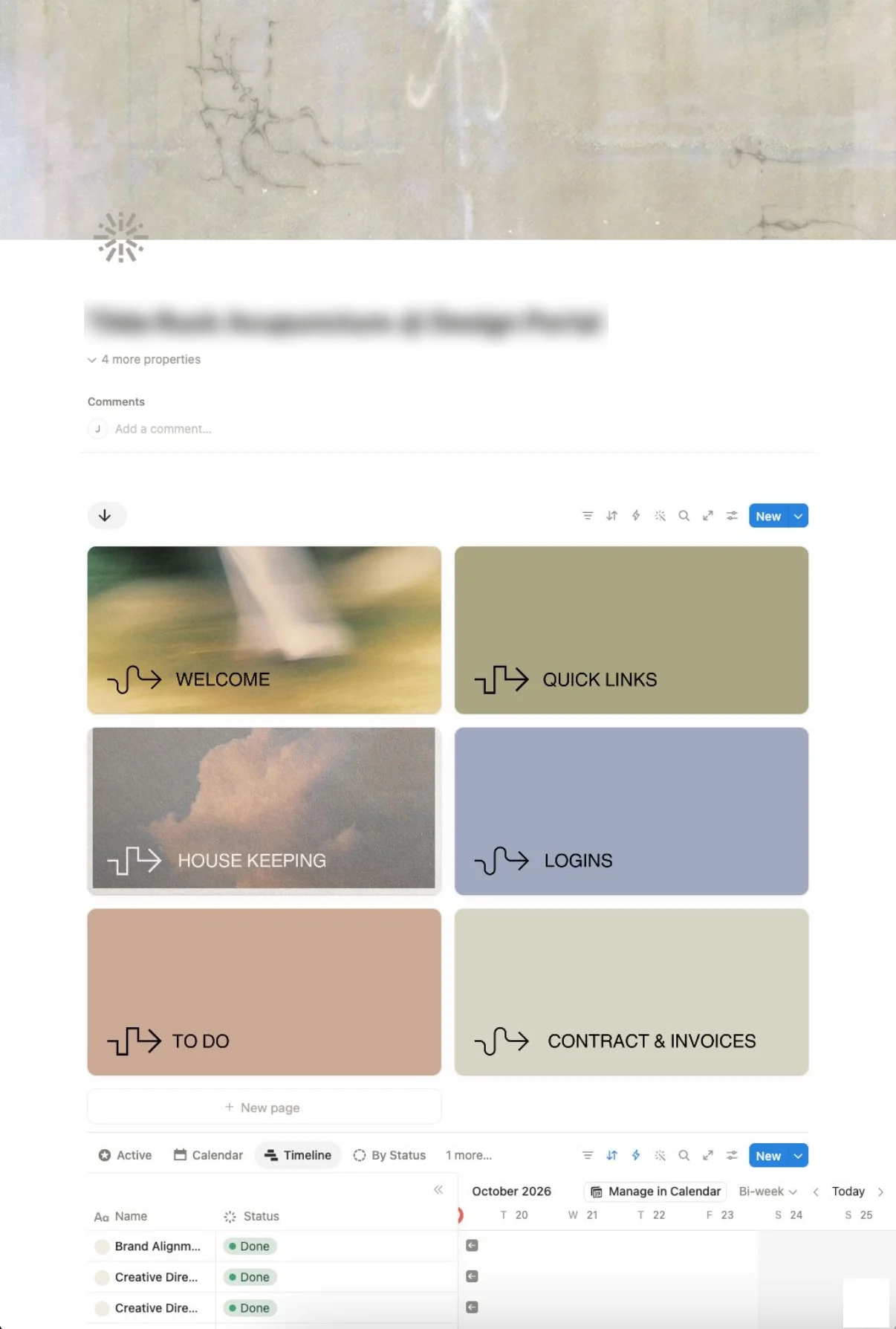
A design client portal built by Hazy Agency with the Seamless Studio Hub: photo cards for Welcome, Quick Links, House Keeping, Logins, To Do and Contract and Invoices, above a project timeline

Juliet came from a purely creative background. Now every project has structure.

"The Studio Hub completely changed the way I run my business. Project management and CRM always felt a bit daunting coming from a purely creative background, but Hannah's systems gave me so much structure and a real understanding of how to organise my projects and give my clients the best experience. So much thought and care has gone into these products, and they feel completely different to anything else I've tried. The tutorials and explanations that come with them mean you actually learn from them, so it feels like a whole course rather than just a template purchase!"

Juliet, brand designer and founder of Hazy Agency
JulietBrand designer · Founder, Hazy Agency
Hannah May, founder of Maybe Design Studio, sitting cross-legged on a corduroy sofa in her Lisbon home with her laptop, in front of colourful framed prints

New to my world?

Hi, I'm Hannah May, founder of Maybe Design Studio and mentor for designers

Maybe Design Studio is a brand and website studio based in Lisbon, working with founders around the world. I've run it for 15 years and built more than 100 brands.

A few years ago it was just me, juggling design, marketing and admin. I was drowning in tasks, missing deadlines, constantly apologising to clients and spending more time on admin than actual design.

I could see that what was stopping my growth wasn't my talent. It was how my business was organised to make room for the creative work.

So I put my time and energy into streamlining the back end of my business, building workflows for my own tasks and every client project. It helped me:

Now I'm giving you my exact system. The actual, proven portal that changed my business, and the one I still use every day.

Get the template and system→

How it works

How to set up your Notion client portal, in four steps

  1. Step 01 · Duplicate

    Duplicate it into your Notion

    One click copies the Hub into your workspace. The setup videos walk you through every page, so you won't lose a weekend working Notion out.

    →Get the Hub · £75
  2. Step 02 · Brand

    Make it unmistakably yours

    Drop your logo, colours and type into the Figma templates and export the covers. Your clients see your studio, never a template.

    →See what's inside
  3. Step 03 · Package

    Load your packages once

    Turn each service into a project template with its tasks, timeline and portal pages. Every project after that runs the same way, whoever's running it.

    →Watch the demo
  4. Step 04 · Onboard

    Onboard your first client

    Press the button for their package, share one portal link, send the welcome email from the script library. Done before your coffee goes cold.

    →Get the Hub · £75

"I watched all the videos and set everything up. Super straightforward."

The results

What your design business looks like with the Hub on your side

  1. 01

    Own your projects

    Take ownership of every project and position yourself as the expert service provider you are.

  2. 02

    No more scope creep

    Stop scope creep, slipping timelines and hours lost to back-and-forth with clients.

  3. 03

    More profitable projects

    Make more money for your time, because the hours you quote are the hours you actually work.

  4. 04

    Be the designer with good processes

    Have clients rave about you and refer you to anyone who will listen.

  5. 05

    Your time freedom back

    Get back the freedom you were after when you started your business in the first place.

Who it's for

Who is this Notion client portal for?

A brand designer reading at a glass coffee table, with Pantone swatches, books and a notebook laid out around her

For brand designers

A client portal for brand designers

You run strategy, concepts and feedback rounds, and your clients need to know where they are at every stage. The Hub comes with the branding portal I use for every identity project.

A website designer typing on a laptop at a green desk

For web designers

A Notion client portal for web designers

You chase content, copy and sign-offs before you can build. The website portal includes my pre-prep forms, copywriting templates and snagging pages.

A design studio owner holding her laptop, wearing a pink striped shirt

For studio owners, and designers ready to hire

A shared system for the studio you're building

Thinking about bringing in a freelancer or your first hire, or already running a small team? Every project runs from the same templates, task list and client scripts, so the process lives in the Hub instead of your head. Anyone you bring in can pick up a project on day one.

and I'm giving it to you for just £75|and I'm giving it to you for just £75|and I'm giving it to you for just £75|and I'm giving it to you for just £75|and I'm giving it to you for just £75|and I'm giving it to you for just £75|and I'm giving it to you for just £75|and I'm giving it to you for just £75|

One price, everything included

One Hub. Solo now, team when you're ready.

One price for everything. Start on the Solo version, and switch to the Team version when you bring someone in, without paying again.

Everything in the Hub

  • The studio dashboard and project management system
  • The client portal template
  • My own branding and website portals
  • Solo and Team versions
  • Setup videos and Figma branding templates
  • The client communication library: emails, questionnaire and copy templates
  • Bonus: content planner for your studio's own social media
  • Bonus: design inspiration library
  • My private Slack community for buyers, with setup support for as long as you need it
  • Every future update
Solo + Team included

£75

One payment · no subscription

  • Instant access in your inbox
  • Set up and branded in a day
  • Setup support in my buyers-only Slack community
  • Every future update, free
Get the Hub for £75→

"It's genuinely the best value for money digital download I've EVER purchased."

One payment, no subscription · Instant access in your inbox · Works on Notion's free plan

FAQ

Questions about the Notion client portal

What is the Seamless Studio Hub?−

It's a Notion template that gives you project management and a client portal in one system. You run your studio from one side: every live project, your package templates and one task list. Your clients get the other side: one link with everything they need. It's the system I run Maybe Design Studio on, with Solo and Team versions, setup videos, my client emails and forms, a content planner and a design inspiration library.

Is it a project management template or a client portal?+

Both, in one Notion workspace. The studio side is your project management system: a dashboard of live projects, project templates for each package and one task list across every client. The client side is the portal each client opens, with their onboarding, contract and invoices, a weekly timeline and a tracker for feedback and sign-off.

Can I use Notion as a client portal?+

Yes. Notion lets you share a page with a client by link, so they can open their portal in a browser. The Hub gives you that portal ready-made, with the pages, timeline and feedback tracker already set up, so you don't have to design it from scratch.

Do I need a paid Notion plan?+

You can start on Notion's free plan. If you share portals with lots of clients at once or store large files, Notion's paid plan gives you more guests and storage.

Do my clients need a Notion account?+

Your clients can view their portal from a shared link. To tick off tasks or leave feedback inside it, they'll need a free Notion account, which takes a minute to set up.

How long does setup take?+

Most designers have it set up and branded in a day. The videos walk you through each page in order.

I'm not a Notion person. Will I manage?+

Yes. You don't need to know Notion before you start; the videos show you each step, and buyers say they learn Notion along the way.

Does it work for branding and web design projects?+

It includes both: the branding portal and the website portal I use with my own clients.

How is this different from Dubsado or HoneyBook?+

Dubsado and HoneyBook handle contracts and payments; the Hub runs the project after the client signs. You can use them together, as I do.

Can I add a team later?+

Yes. Most buyers start on their own, and the Hub is built the way a studio runs, so it's ready when you bring someone in. The Team version comes in the same download, so you can switch over when you hire without paying again. Notion charges per member on its paid plans, so check how many seats you need.

What support do I get?+

You're invited to my private Slack community, which is only open to people who've bought my digital products. Ask for setup help whenever you need it, for as long as you have the Hub, and swap notes with other designers running the same system. You also get every future update.

What's your refund policy?+

Because you get the whole Hub the moment you buy, there are no refunds. If you're not sure it's right for you, watch the demo first or email me your question before you buy.

Your move

Set it up this week, before your next client signs

You've seen the demo, what's inside and what designers using it say. One payment of £75 gets you the system I run my studio on, and you could have your first client onboarded through it by next week.

Picture the next twelve months

P.S. If you're still deciding, watch the 10-minute demo first. If it doesn't look like the system you've been trying to build yourself, don't buy it.

The Seamless Studio Hub Notion client portal shown on a desktop, laptop, tablet and phone: the welcome page, studio task list, client portal dashboard and project timeline, alongside the client communication emails, website content form and brand brainstorm documents

The Seamless Studio Hub£75 · one payment · lifetime updates

Buy now· £75→